Logo
  • Home
  • Docs
    • Overview
    • Getting Started
    • API Widget Key
    • W12 Template
    • Troubleshooting
  • — Overview
  • — Getting Started
  • — API Widget Key
  • — W12 Template
  • — Troubleshooting

W12 Template

The W12 template displays up to 12 rows of key–value data in a compact, readable layout. It’s designed for live metrics, status indicators, and grouped information.

Each row is rendered as a single line in the widget.


Row structure

Each row in the W12 template is an object with the following fields:

  • key (string, required)
    The label displayed on the left side.

  • value (string, optional)
    The value displayed on the right side.

  • color (string, optional)
    Controls the visual style of the row.

A row with an empty key ("") is rendered as a separator line.
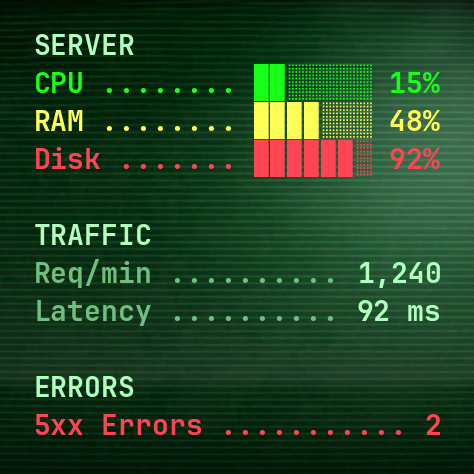
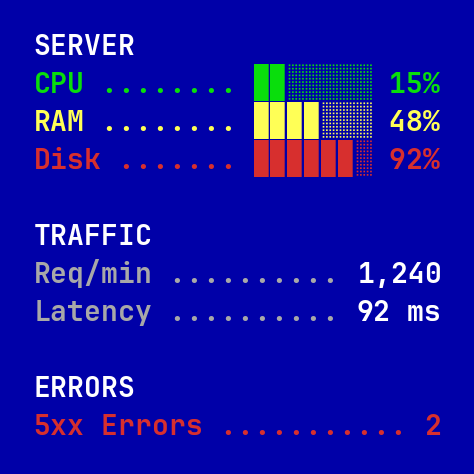
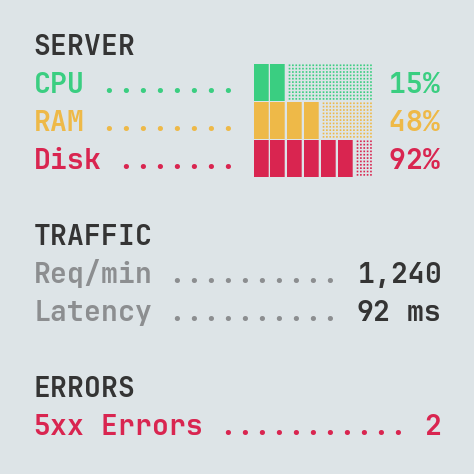
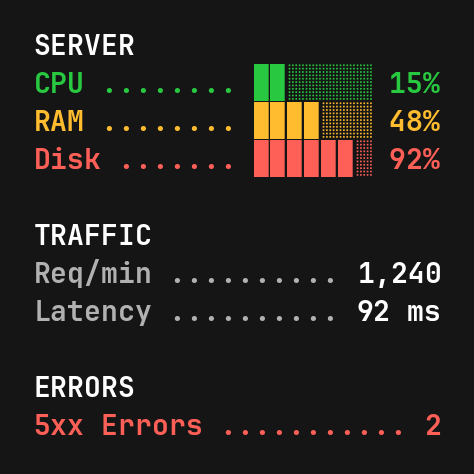
🧩 JSON Example
[
  { "key": "SERVER", "color": "main" },
  { "key": "CPU",  "value": "▉▉░░░░░ 15%", "color": "success" },
  { "key": "RAM",  "value": "▉▉▉▉░░░ 48%", "color": "danger" },
  { "key": "Disk", "value": "▉▉▉▉▉▉░ 92%", "color": "warning" },
  { "key": "" },
  { "key": "TRAFFIC", "color": "main" },
  { "key": "Req/min", "value": "1,240" },
  { "key": "Latency", "value": "92 ms" },
  { "key": "" },
  { "key": "ERRORS", "color": "main" },
  { "key": "5xx Errors", "value": "2", "color": "warning" }
]


Themes

dark (default)
Dark background with clean, high-contrast typography. A balanced default theme for everyday use.
light
Light background with dark text. Designed for clarity and readability in bright environments.
terminal
Green-on-dark terminal-style theme with a retro, hacker-inspired look.
norton
Blue, retro-style theme inspired by classic file managers and system monitors.


Colors

The W12 template supports a small set of built-in color styles:
● main — section headers and primary values
● muted — labels and secondary information
● info — neutral highlights and titles
● success — positive or healthy values
● warning — elevated or cautionary values
● danger — critical values

If no color is specified, the key is rendered using the muted color and the value uses the main color.

If a row has no value and no color specified, the info color is used by default.


Limits

  • Maximum 12 rows per widget
  • Each row key and value supports up to 24 characters
  • You don’t have to provide all 12 rows — fewer rows are allowed
  • Each row must include a key field

If more than 12 rows are returned, extra rows are ignored.


Tips 💡

  • Keep keys short for better readability.
  • Use simple text bars or symbols for quick visual indicators.
  • Group related metrics under headers to improve clarity.


What’s next?

Now that you understand the W12 template, you may want to review:
➡️ API Widget Key — how templates and themes are selected
➡️ Troubleshooting — common formatting and endpoint issues


Need help?

If something doesn’t work as expected or you want to share feedback, visit
➡️ Support & Feedback.
Logo
© 2025 APIwidget.com
Made with ❤ by Valery Shklovskiy

  • Home
  • Docs
  • Privacy Policy
  • Support